Local operation
Localized touch interaction connected the operator with instrument state and sample progress.


Healthcare · Analyzer operation and quality control
An instrument-software project connected analyzer communication, localized touch operation, sample results, and quality-control review through a host application and shared data services.
The business context
A medical-instrument product needed software that better matched its regional users. The existing global interface left room to improve language, touch interaction, and familiar operating paths. The engagement included a Chinese-language interface, reflecting the market being served rather than a change to the instrument's clinical purpose.
Operators also needed a more continuous route through instrument status, sample work, result lookup, quality-control records, and reports. Shinetech developed host software and data services around those tasks, giving the instrument's day-to-day workflow and its stored records a common foundation.
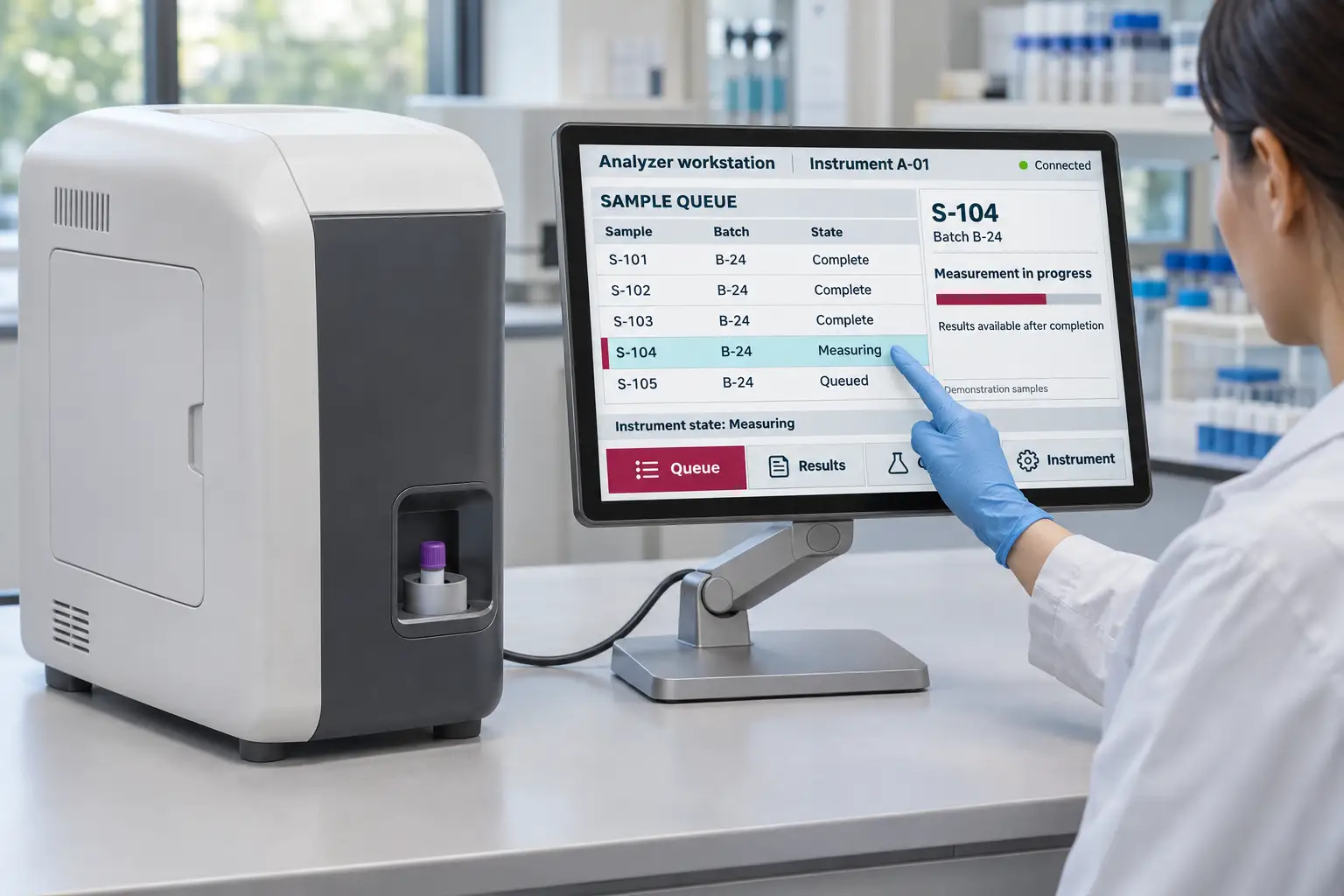
Illustrative reconstruction of an analyzer and connected touch workstation, using the same sample-queue design shown below. The hardware, operator, and laboratory setting are fictional; this is not a customer photograph or a specific instrument model. The English-language screen illustrates a workflow delivered with Chinese localization. View full-size scene (new tab)
The operating challenge
A current instrument state and a historical result serve different jobs. The operator needs to see what the device is doing and which sample is being processed. A later review needs the sample, batch, result, and related quality-control information to remain identifiable after that screen has changed.
Localization also extended beyond translating labels. Touch controls, common parameters, and the order of tasks had to fit how people used the instrument. Meanwhile, the data layer needed to organize records for queries and reporting, with room for later remote management and integration.
The delivery decisions
The communication layer exchanged operating state, measurement progress, and results with the analyzer. The host application organized sample queues, batches, and result lists so that current work and later lookup used related information.
The application supported a Chinese-language interface, touch operation, and familiar parameter presentation. Operators could follow sample work, look up results, and review QC information within the host application. ARM Linux control hardware and PC resources connected that interaction to the instrument and its retained records.
Configurable quality-control parameters, trend and distribution views, historical queries, and reports extended the application beyond a current-result screen. Instrument, sample, QC, and result records were organized in the data service for continued review.
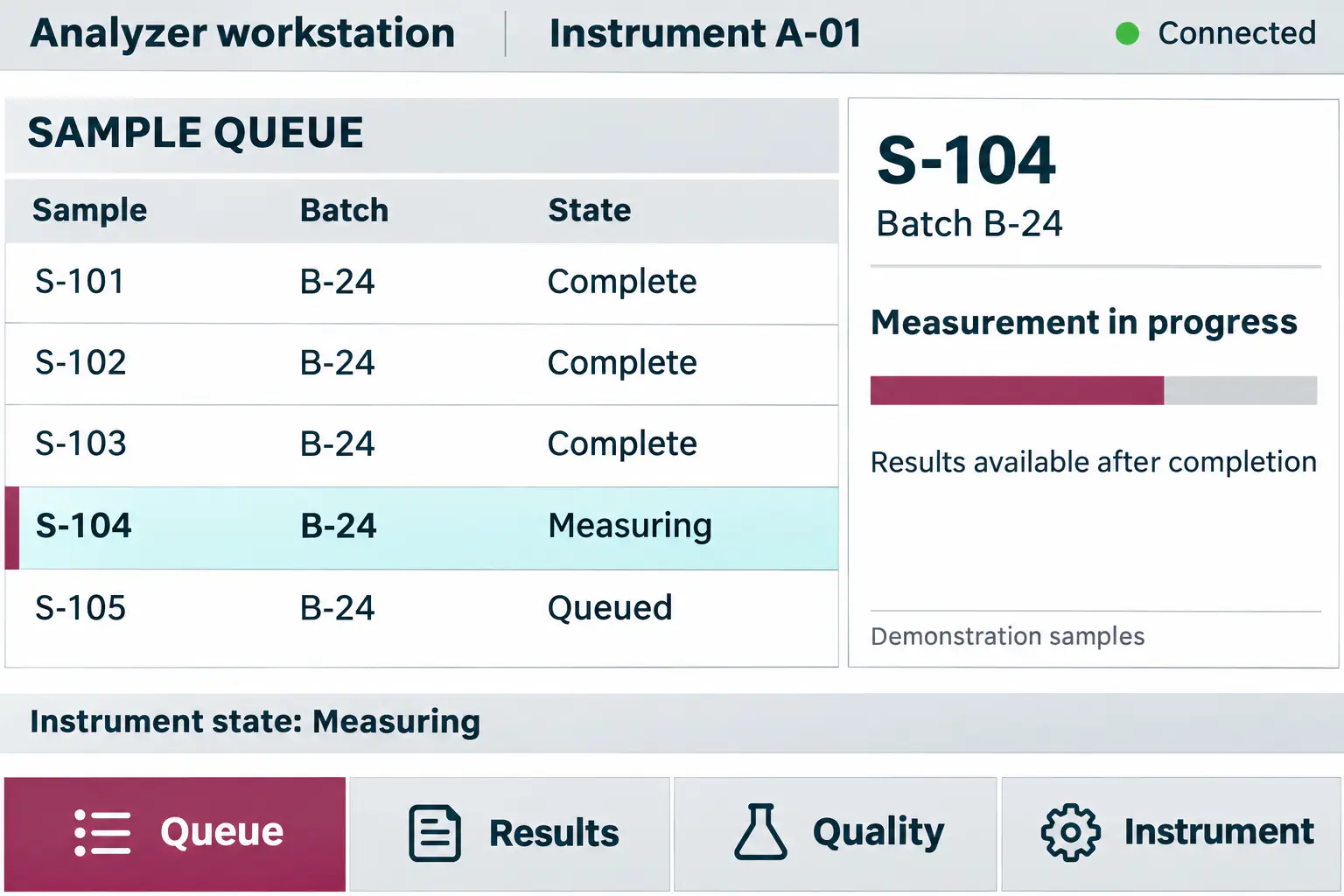
English-language concept reconstruction of the localized software workflow. Sample identifiers and states are fictional; no patient information or clinical results are shown. View full-size interface (new tab)
The working detail
The working application had to support both the person watching a sample progress and the person reviewing a sequence of records. Keeping instrument, sample, and quality-control information in one data framework connected those tasks without treating a display as a clinical decision.
Centralized records also created a foundation for subsequent remote status access and system connections. Those extension paths were part of the architecture; the completed case centers on the localized host application, sample and result management, QC views, and reporting.
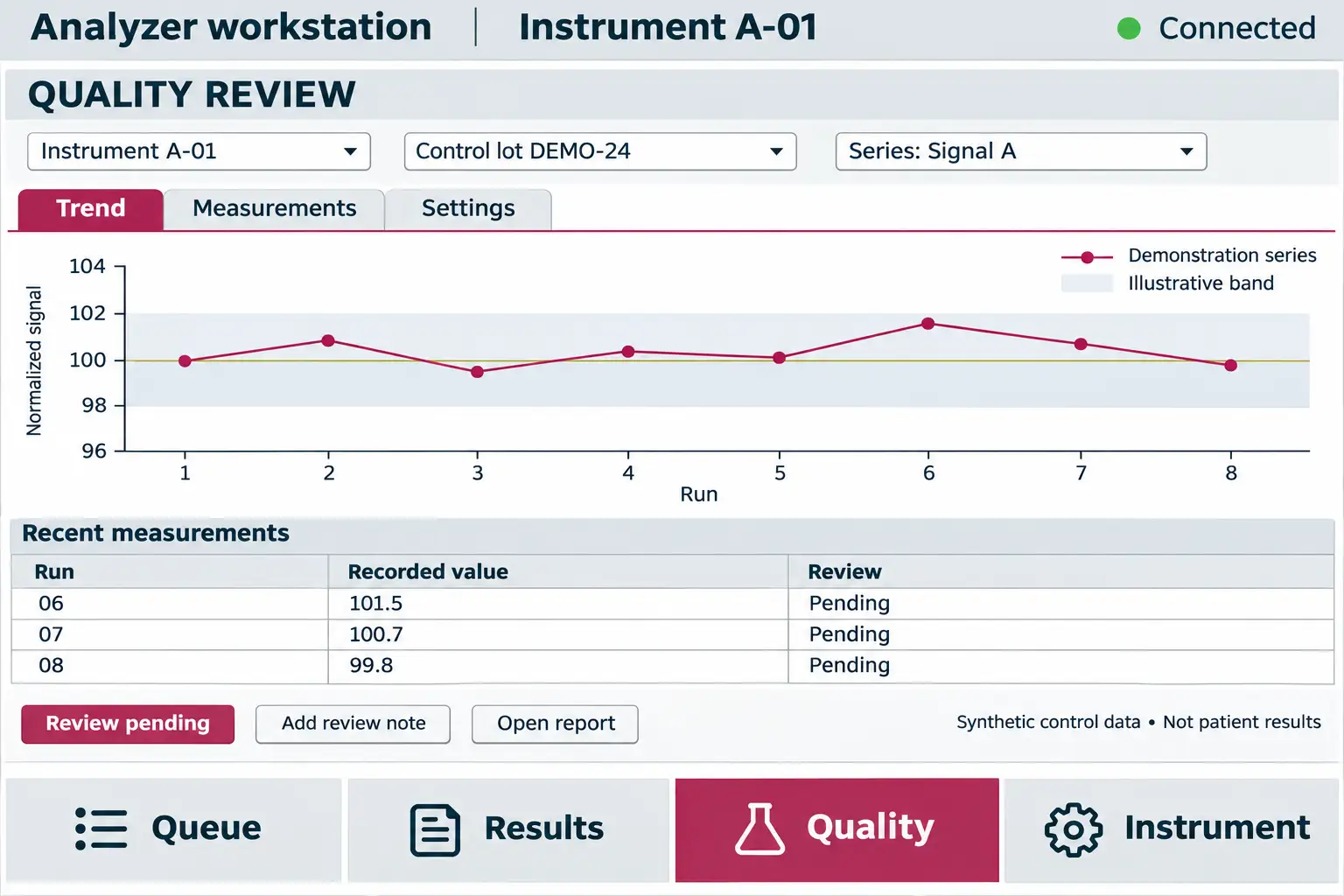
The quality-review view uses the same workstation navigation as the sample queue. It contains synthetic normalized signals and an invented control lot. The band is a visual example, not a clinical reference range, validated acceptance criterion, or patient result. View full-size interface (new tab)
The delivered result
Localized touch interaction connected the operator with instrument state and sample progress.
Sample, batch, instrument, and result information supported lookup and historical review.
Configuration, trends, statistics, and reports supported the quality-control review task.
The result is the delivered instrument-software and data-management capability. This case makes no diagnostic-performance, regulatory-approval, or software-attributed sales-growth claim.
Case taxonomy
Discuss your project
Tell us how your business works and where your software needs to change.
Get in touch
Tell us what you need to build, modernize, automate, or augment with AI. We can start with a focused discussion or a no-risk 1-week trial.

“A fantastic company to work with.” After the initial rapid development project, American Shipping Co. kept two Shinetech developers embedded for nearly four years, supporting internal and external tools and new AI initiatives.
 CEO, American Shipping Co. - 5-star Google Review