Paperless capture
Dynamic electronic forms connected assessment entry to the review process.


Healthcare · Workforce assessment
A hospital organization connected dynamic PDF assessments with scoring, review, and archived records, reducing the manual handoffs around staff qualification checks.
The business context
A hospital organization needed to assess staff knowledge and maintain the records behind qualification reviews. Paper assessments required printing, distribution, manual scoring, and entry of results into a separate computer system. Each handoff added work before a completed assessment became a usable staff record.
The goal was a paperless assessment and review process that could support larger volumes without carrying the same manual workload forward. The organization wanted to retain dynamic PDF forms as the information-capture medium, so Shinetech had to connect a familiar document interaction with a structured application behind it.
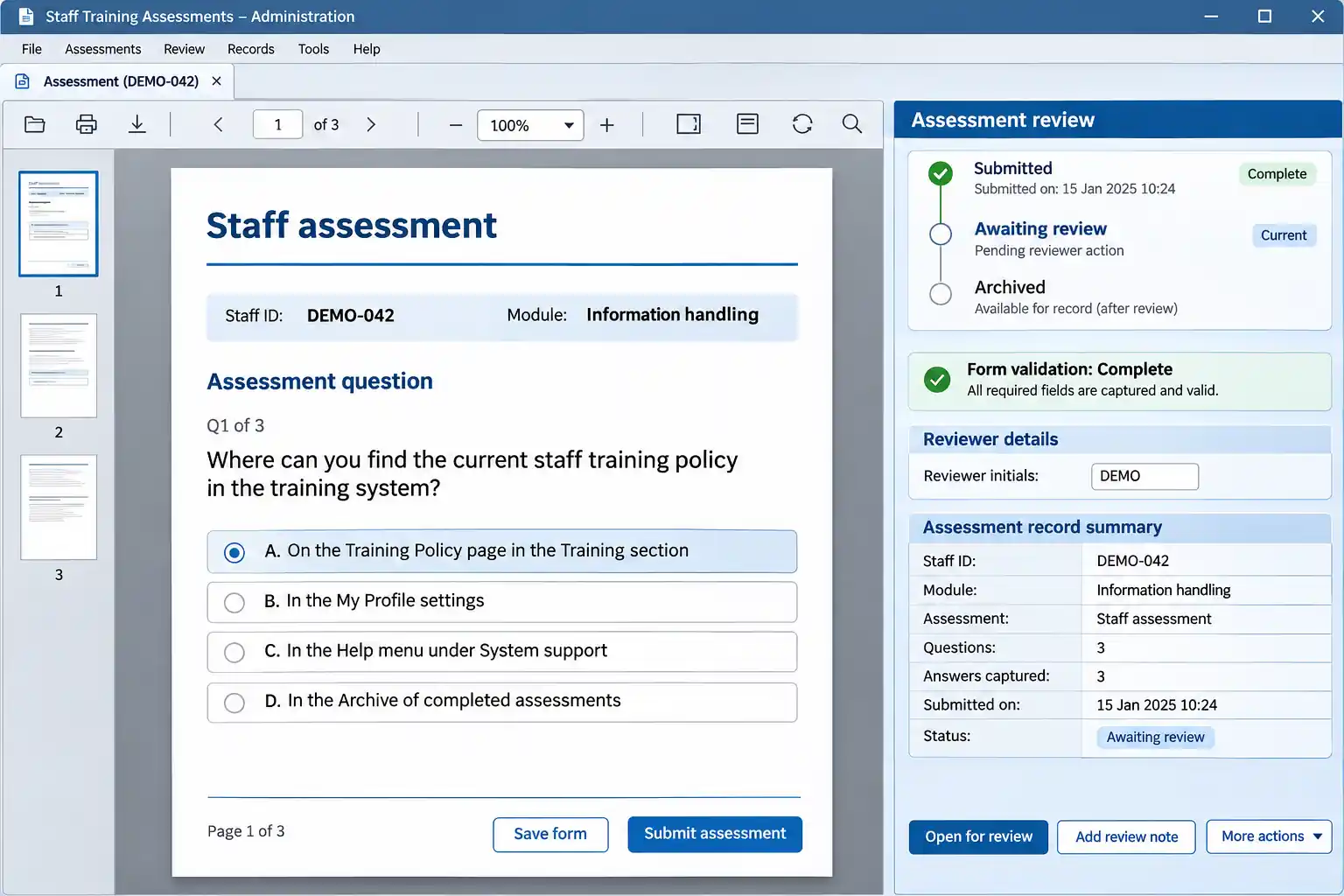
This fictional training form shows how document capture can sit beside review and archive information. It contains no real staff records, clinical guidance, or customer branding. View full-size interface (new tab)
The operating challenge
Dynamic PDF forms introduced requirements beyond displaying a document. The application needed to support form behavior, validate entries, return the captured data, and produce an archived PDF. A completed file and a usable assessment record had to be parts of the same workflow.
Delivery also had a fixed launch window and strict customer requirements around data location and service continuity. Historical assessment records had to move into the new environment while permissions, review steps, exports, and activity records were being established. Those constraints shaped the rollout; they were not optional work to address after launch.
The delivery decisions
The initial assessment distinguished standard form configuration, custom dynamic PDF work, and historical-record migration. This made the unusual document requirement explicit and gave the team a clearer view of what had to be built, configured, and prepared.
PDF capture, scoring, qualification review, and archiving were developed while historical records were cleaned, structured, and checked for import. The aim was to support both new assessments and the context needed to review earlier activity.
Permissions, report exports, activity logs, monitoring, backups, and recovery checks formed part of the delivery. The team planned staged releases around the customer’s continuity requirements and continued to support the Azure-hosted system after launch.
The working detail
Staff could use PDF-based assessment forms while the system handled the path into scoring, review, and records. The project account describes a simpler endpoint requirement based on a PDF reader, replacing a more complicated browser, smart-card, and Java setup.
This was a staff assessment and administrative workflow, not a clinical decision system. Its operational value came from making completed work available to the people responsible for review without repeating the capture process. The interface reconstruction therefore uses neutral training questions and synthetic staff identifiers.
The delivered result
Dynamic electronic forms connected assessment entry to the review process.
The project team reported assessment coverage increasing from 50% to 75%.
The delivered system moved into ongoing operation and maintenance.
Coverage figures are project-reported. The available evidence does not establish an independently measured uptime SLA or a compliance certification.
Case taxonomy
Discuss your project
Tell us how your business works and where your software needs to change.
Get in touch
Tell us what you need to build, modernize, automate, or augment with AI. We can start with a focused discussion or a no-risk 1-week trial.

“A fantastic company to work with.” After the initial rapid development project, American Shipping Co. kept two Shinetech developers embedded for nearly four years, supporting internal and external tools and new AI initiatives.
 CEO, American Shipping Co. - 5-star Google Review