Multifunction usability
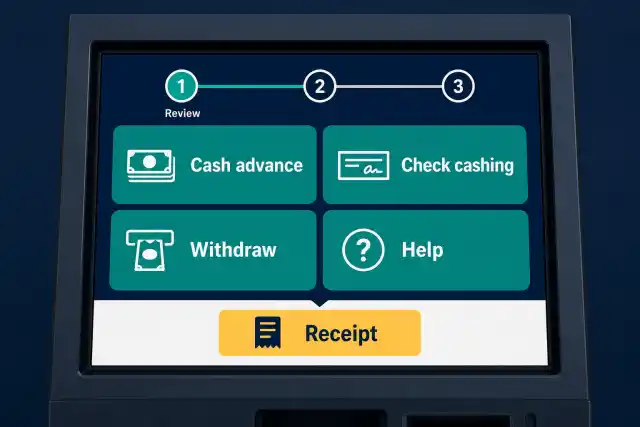
ATM, cash advance, and check-cashing tasks needed clear, accessible flows on a shared terminal.


Financial services case study
A cash access provider wanted to evolve existing terminals into accessible multifunction kiosks for ATM, cash advance, and check-cashing workflows—and needed software delivery and QA that understood the physical hardware.
The situation
The client already provided electronic cash services and wanted to expand its terminal product into a more capable kiosk experience. Earlier vendor performance had made delivery quality and efficiency central selection criteria.
The work could not be isolated to screen design or application code. Each feature had to operate reliably with scanners, printers, cash-handling components, touchscreens, and network connections in a physical terminal.
The product challenge
The enhanced kiosk needed to be approachable for end users while giving the product team dependable coverage across physical components.
ATM, cash advance, and check-cashing tasks needed clear, accessible flows on a shared terminal.
The application had to coordinate with real kiosk components, not just simulated interfaces.
Frequent feature changes required a faster way to verify core behaviors across the complete terminal.
The solution
The engagement grew from feature enhancements into responsibility for software development and quality assurance, with a lighter WPF and ASP.NET application foundation for the kiosks.
Use onsite hardware training to understand how software actions map to terminal components.
Analyze business requirements, define development tasks, and keep unfinished items visible in daily reporting.
Create a test framework that can run important scenarios quickly and repeatedly as the product changes.

How we worked
The client supplied business requirements and product direction; the delivery team analyzed that input and converted it into an actionable backlog.
Daily reporting made progress and unresolved work visible, while product demos gave stakeholders a practical way to review output and clarify questions.
Hardware training extended the team from requirements through implementation and final testing instead of splitting responsibility at the device boundary.
Learn the cash workflows and hardware.
Turn requirements into backlog tasks.
Deliver the WPF and ASP.NET application.
Run repeatable hardware-aware regression tests.
The result
The documented rollout gave end users a convenient cash-access option and established a delivery model that covered requirements, software, hardware behavior, demonstrations, and final verification.
The enhanced product brought several cash-access services into one user-facing kiosk.
Training and hardware-aware testing reduced the gap between application behavior and terminal operation.
Backlog analysis, daily visibility, and demos kept implementation aligned with product management.
Case taxonomy
Connect software to the device
Get in touch
Tell us what you need to build, modernize, automate, or augment with AI. We can start with a focused discussion or a no-risk 1-week trial.

“A fantastic company to work with.” After the initial rapid development project, American Shipping Co. kept two Shinetech developers embedded for nearly four years, supporting internal and external tools and new AI initiatives.
 CEO, American Shipping Co. - 5-star Google Review