


One of the most common requirements in legacy migration is also one of the most dangerous:
“Make the new system work exactly like the old one.”
The request is understandable.
It protects business continuity.
It reduces disruption.
It gives users confidence that daily operations will still run after the change.
But it also creates a hidden risk.
If every old workflow, report, field, exception, and manual step is treated as a requirement, the migration may preserve more than business continuity.
It may also preserve the decisions, constraints, and workarounds that built up around the legacy system over time.
Copying the Old System Is Not Always Modernization
In many legacy migration projects, teams begin by asking what the old system does.
That is necessary.
But it is not enough.
A legacy system often contains years of accumulated business rules, user habits, manual adjustments, outdated reports, and process workarounds.
Some of these still protect critical business operations.
Others exist only because the old system had limitations.
If the new system copies all of them without diagnosis, modernization can become a technical rebuild of the same complexity.
The technology changes, but the legacy logic remains.
Not Every Old Requirement Has the Same Value
When users ask to copy something from the old system, the request should not be accepted automatically.
Different legacy features may have very different meanings.
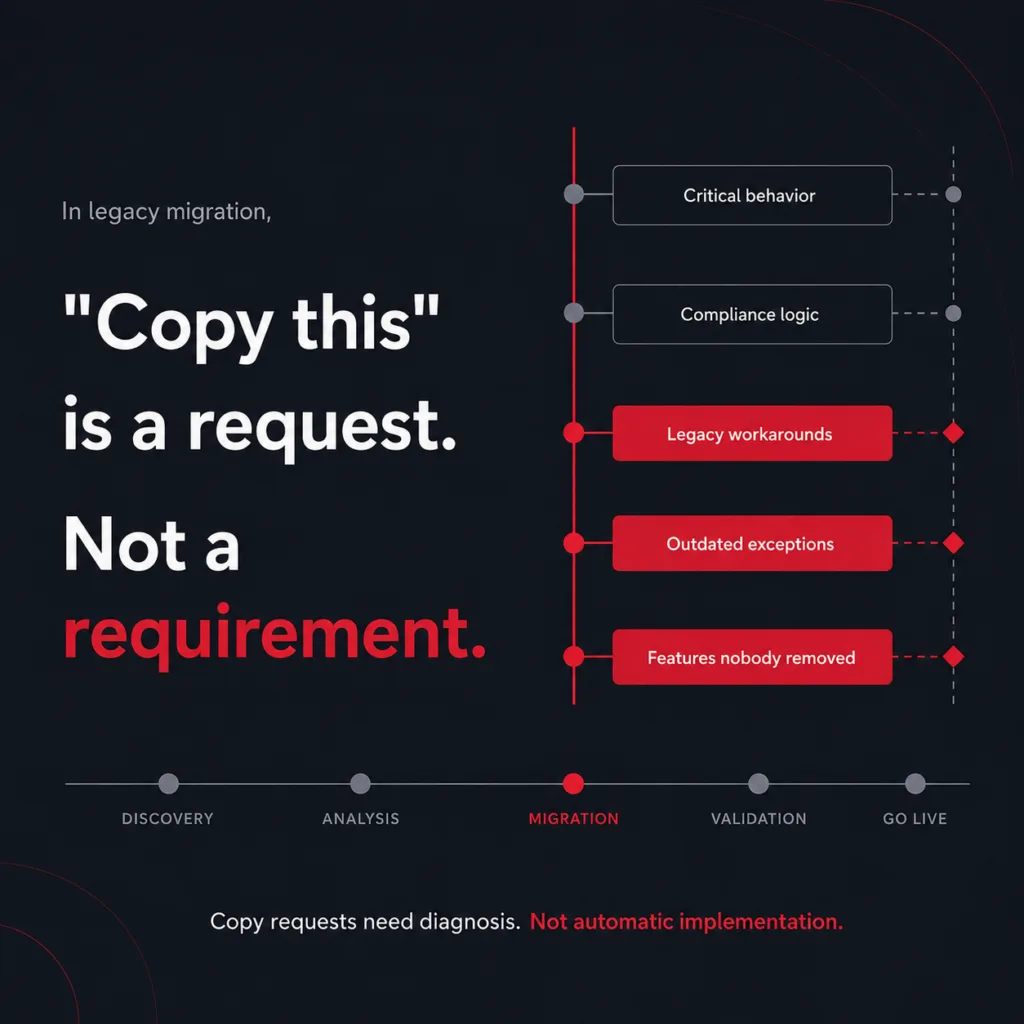
Some protect critical business behavior.
Some exist for compliance reasons.
Some are workarounds for the old system’s limitations.
Some survived simply because no one had time to remove them.
Treating all of these as equal requirements can make the new system heavier than it needs to be.
It can also make the migration more expensive, more complex, and harder to maintain after go-live.
Copy Requests Need Diagnosis
The goal is not to ignore the old system.
The old system often contains important knowledge about how the business actually operates.
But copy requests need diagnosis before implementation.
Teams need to ask:
- Is this feature still business-critical?
- Is it required for compliance or control?
- Is it supporting a live workflow?
- Is it only compensating for an old system limitation?
- Can this process be simplified in the new system?
- Should this behavior be redesigned instead of copied?
- Does this requirement still deserve to exist?
These questions help separate what must be preserved from what should be simplified, redesigned, or left behind.
Modernization Should Reduce Complexity, Not Rehouse It
Legacy migration is not just about moving functionality onto a newer stack.
It is about deciding which parts of the old system still create business value.
A successful migration protects the logic the business depends on, while reducing the complexity it no longer needs to carry.
Without that distinction, the new system may go live successfully but still inherit the same operational debt.
The result is a modern platform carrying legacy behavior.
The Hard Question in Legacy Migration
For teams planning a legacy migration, the hard question is not only:
“What does the old system do?”
It is:
“Which parts of the old system still deserve to exist in the new one?”
That question often determines whether modernization reduces legacy debt — or simply gives it a new home.
Related case study: Unifying medical-device labeling workflows for regulatory compliance